Are you prepared to turn your Smart TV into a major entertainment device? You can access a variety of live TV channels, on-demand programming, and streaming services with IPTV. You can enjoy all this from your living room. This guide walks you through every step to get your IPTV service running smoothly.
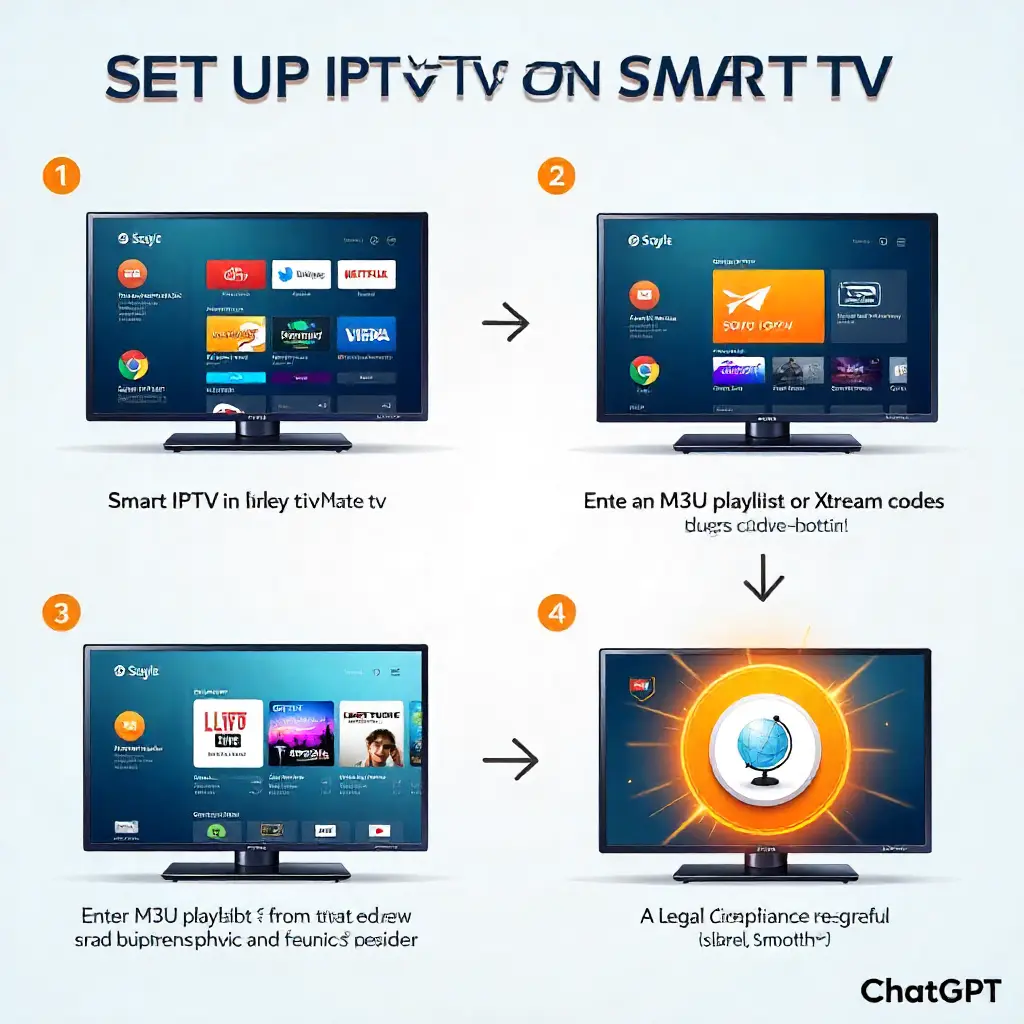
Setting up IPTV on your Smart TV is quick and beginner-friendly. First, choose a reliable IPTV service compatible with your TV brand. Then, download an IPTV app like Smart IPTV or TiviMate from your TV’s app store. Enter your service provider’s M3U playlist or Xtream Codes, and you’ll be ready to stream live TV, movies, and shows in minutes. Always check your country’s streaming laws before use, as IPTV legality varies by region.
Understanding IPTV
Internet Protocol Television is a game changer. It moves us from traditional cable TV to streaming content over the internet. IPTV is different from regular set-top boxes. It streams HD live TV, movies, and shows through your internet. No need for satellite or cable. It is directly viewable on your Smart TV.
The IPTV system changes TV signals into digital data packets. These packets move through your network. This technology allows for features that traditional broadcasting can’t provide. It includes an Electronic Program Guide, Catch-up TV, and Time-shifted TV viewing. You can use your smart TV as a smart media player. It can access thousands of live TV channels from around the globe.
Benefits of IPTV on Smart TVs
Modern Smart TVs connect easily with IPTV services. This implies that additional set-top boxes or streaming devices are not required. Samsung Smart TV, LG, and Sony models have strong processors. They stream IPTV smoothly and without any issues.
Cost-effectiveness stands out as a major advantage. Many IPTV subscriptions are cheaper than regular cable packages. They also provide more live TV channels and on-demand content. You can access international channels, live sports, and premium streaming. Best of all, it costs much less than regular subscription fees.
The user experience surpasses traditional television. Parental controls, custom guides, and the ability to pause live TV all improve your viewing experience. You can also organize local playlists. Plus, you can access streaming content on many TV brands and sizes from one interface.
How Do You Choose IPTV Applications?
Your entire streaming experience is determined by the IPTV app you choose. Popular applications vary in features, compatibility, and user interface design. Choose based on your Smart TV’s system and what you like to watch.
Popular IPTV Apps for Smart TVs
- IPTV Smarters Pro is a top choice for Android TV and many Smart TVs. It integrates with the Xtream Codes API and supports the M3U format.
- Smart IPTV: A user-friendly interface ideal for beginners. It’s compatible with Samsung Smart TV models and available in most app stores.
- GSE Smart IPTV has great features. It offers EPG integration, supports many streaming protocols, and works with external players.
- TiviMate: A premium option that offers great Electronic Program Guide features. It provides smooth content playback on Android TV Boxes.
Factors to Consider When Selecting an App
Before you start, check if the app is compatible with your Smart TV brand and operating system. Also, make sure the app supports M3U URLs. This way, it can handle your IPTV provider’s playlist format correctly.
Your internet connection speed directly impacts which apps perform best. Adaptive streaming apps change the streaming quality to match your bandwidth. This helps stop buffering during busy times in your internet area.
Installing an IPTV App on Smart TVs

The installation process varies slightly by TV brand but is generally straightforward. Most Smart TVs have built-in app stores for easy app installation. Go to the app store from the main menu. Use the remote or voice commands to search for the app. Next, choose “install.” The app shows up on the TV’s home screen or app library after it has been downloaded. Some brands may also offer pre-installed apps or recommendations.
Step-by-Step Installation on Samsung Smart TVs
- Access Smart Hub: Press the Smart Hub button on your Samsung remote to open the main interface
- Navigate to Apps: Select the “Apps” icon from the Smart Hub menu to access Samsung’s app store
Most IPTV apps appear in the Entertainment or Utilities categories. If your favorite app isn’t in the official store, you can sideload APK files. Just use a USB drive connected to your TV’s USB ports.
Installation on Other Brands (LG, Sony, etc.)
- LG Smart TVs: Open LG Content Store, search for IPTV apps, and install directly to your home screen
- Android TV Models: Access the Google Play Store. Install apps as you would on any Android device. Configure settings easily.
- Sony TVs: Navigate to the Sony Select or Google Play Store depending on your model year
If you own an older Smart TV without modern app stores, you can connect devices like an Android TV Box or a Fire TV Stick. This will boost your IPTV options.
What Settings Optimize IPTV Performance?
Proper setup is key to smooth streaming and avoiding buffering or poor video quality. Many factors affect performance. These include internet speed, router placement, app settings, and TV display options. For optimal effects, adjust the aspect ratio, contrast, and brightness. Fine-tuning these elements ensures a seamless streaming experience.
Connecting and Authenticating Your IPTV Service
To log in, you need three things from your IPTV provider: the server URL, your username, and your password. Some services use M3U URLs. These links have all the connection data you need in one place.
Enter these credentials carefully in your chosen app’s settings menu. Many apps keep several server settings. This lets you switch between IPTV services or backup servers when maintenance happens.
Configuring Settings for Optimal Performance
- Video Quality: Select the best resolution that suits your internet speed and Smart TV.
- Buffer Size: Increase buffer settings if you experience frequent interruptions during content playback
- Network Protocol: Choose UDP for local networks, HTTP for most internet-based IPTV services
- Audio Settings: Set up surround sound and audio codecs for your home theater.
Test these settings with different live TV channels to find your optimal configuration. Streaming quality improvements often require balancing picture quality with your available bandwidth.
Can You Solve Common IPTV Issues?
Technical issues can disrupt IPTV streaming. However, most have easy fixes to help you return to your favorite shows. You can often fix common issues like buffering, connectivity problems, or app glitches. Just restart your device, check your internet connection, or update the app. These quick fixes help you solve problems quickly. Enjoy a smooth viewing experience!
Addressing Buffering Problems
Buffering typically indicates insufficient internet connection speed or network congestion. Test your bandwidth during different times to identify peak usage periods. ISP throttling can impact IPTV traffic. To ensure steady performance, configure your VPN Router.
Close unnecessary applications running on your Smart TV to free up processing power. Background software updates and other streaming services can use up resources. This can lead to choppy IPTV playback.
Solving Channel Loading Failures
- Check Server Status: Contact your IPTV provider. Verify server availability and maintenance schedules.
- Update App Software: Install the newest updates for your IPTV app and Smart TV firmware.
Server overload during major events, like live sports, can cause access issues. Using different servers or waiting for busy times to pass often fixes these issues.
Fixing App Crashes and Freezes
Clear your IPTV app’s cache through your Smart TV’s settings to keep it running smoothly. Cached files can build up over time. This may result in slow loading, buffering, or crashes during long viewing sessions. Clearing the cache often boosts performance. It also frees up storage and improves streaming.
Restart your Smart TV completely if problems persist. This clears memory and resets any unstable network connections.
How Can You Enhance Your Setup?
Advanced optimization techniques make your IPTV investment better. They improve performance, so you get seamless streaming and less buffering. These techniques provide a top-notch viewing experience. You enjoy great visuals and dependable features, just like top streaming platforms.
Enhancing Video Quality
Using an Ethernet cable for wired connections gives you steadier streaming than Wi-Fi. This is especially true for 4K content and HD live TV channels. Position your router strategically to minimize interference with your Smart TV’s wireless connection.
Configure your TV’s picture settings for streaming content rather than broadcast television. Adjust contrast, brightness, and motion smoothing to complement IPTV’s digital content delivery characteristics.
Managing Bandwidth and Network Settings
For smooth IPTV streaming, optimize your network. Turn on Quality of Service (QoS) on your router. This helps prioritize IPTV traffic, so you get smooth and steady streaming. Reserve enough bandwidth for IPTV while keeping other devices online. Update your router firmware and position it to reduce wireless interference. Use diagnostic tools to fix connectivity issues. If you watch a lot of channels or share your internet, consider upgrading your plan. It can improve your experience.
Are IPTV Services Legal Everywhere?
Legal considerations vary significantly between regions and depend on content licensing agreements. Knowing local rules helps you avoid legal problems and keeps streaming safe.
Understanding IPTV Legality in Your Region
Legitimate IPTV providers hold valid licenses for the channels and shows they offer. These services work like popular streaming platforms such as YouTube TV. They have clear business models and provide good customer support.
Research your chosen provider’s licensing agreements and business registration. Legal services often provide money-back guarantees. They have clear terms of service and offer professional customer support.
Ensuring Safe and Compliant Usage
- Check Provider Credentials: Choose IPTV services that are open about their business and hold the proper content licenses.
- Beware of Great Deals: Low prices or premium channel access might mean the content isn’t licensed.
- Use Secure Connections: Protect your privacy with VPN services when accessing IPTV content
- Check Content Sources: Ensure your viewing habits follow local copyright and broadcasting rules.
Reach out to local legal resources or telecom authorities for help with IPTV rules near you.
What Does IPTV’s Future Hold?
Emerging technologies continue revolutionizing how we consume television content. IPTV technology changes quickly. New features and capabilities show up often on various streaming platforms.
Innovations in IPTV Services
Artificial intelligence integration enhances content discovery and personalization features. Smart recommendation engines watch your viewing habits. They then suggest shows and live TV channels that you might like.
Cloud-based IPTV systems reduce dependence on local hardware while improving content delivery reliability. These services integrate seamlessly with existing Smart TV interfaces and popular media players.
Predictions for Smart TV Streaming Advancements
- Better Integration: Stronger links between IPTV services and Smart TV systems will ease setup and boost user interfaces.
- Better Quality: 8K streaming and top audio codecs will be standard on IPTV platforms.
Voice control and gesture recognition will change how users navigate IPTV services. This will help you find content easier and more naturally than a regular remote.
Final Thoughts and Best Practices
Setting up IPTV on your Smart TV opens up endless entertainment and can save you money. To succeed, pick reliable providers, optimize your internet, and know the local laws. Begin with trusted services that provide trials or guarantees. These let you check quality and channels before you decide. Also, make sure your network is stable for the best experience. Check out app features. You can organize favorites, set parental controls, and customize settings. You can customize your viewing experience in this way.
Frequently Asked Questions
- How to install Smart IPTV on Firestick?
Download the Downloader app. Enter the Smart IPTV APK link. Then, follow the installation prompts. Then launch the app and upload your playlist. - Is Smart IPTV legal to use?
Smart IPTV is legal if you stream from licensed sources. Using it for pirated content can be illegal in many countries. - How much does Smart IPTV cost?
Smart IPTV has a one-time activation fee, usually around €5.49, payable after the trial period. - Does Smart IPTV offer sports channels?
Smart IPTV doesn’t offer channels directly. Instead, it supports playlists. These playlists may include sports channels, based on your provider. - What devices are compatible with Smart IPTV?
It works on Firestick, Android TVs, and smart TVs like Samsung and LG. You can also use it on Android boxes and many smartphones and tablets.
About The Author